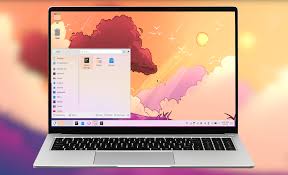
As the end of Windows 10 support approached in October 2025, I began experimenting with various distributions (versions) of the Linux operating system as a free and open-source replacement. One of the complaints about Windows is that the desktop environment (DE) changes with each new version, with no options. For example, when Microsoft introduced Windows 8, it replaced the popular Windows 7 desktop environment with a tiled interface that was so despised that Windows 8.1 restored some of the familiar features. Windows 11, the current Microsoft offering, operates very similarly to Windows 10; its most noticeable difference, again, is how you interact with the system through the desktop environment.
Linux, on the other hand, has many distributions (“distros”), and most distros come with a choice of desktop environments. For example, the most-recommended Linux distro for people coming from Windows is Linux Mint, and its most popular DE is Cinnamon. It also offers the simpler MATE and Xfce desktop environments as alternatives. The interface and menu are similar to earlier versions of Windows. Linux Mint Cinnamon was the first Linux distribution I used.
If you have an NVIDIA video card, you may have to try several drivers to get it working properly, or disable switchable graphics in your BIOS settings, which forces Kubuntu to use the built-in display driver rather than the NVIDIA GPU. In laptops that have NVIDIA, you may get an error message while loading, “Failed to probe LSPCON. In Linux Mint, you have to disable Secure Boot in BIOS to use a second monitor.
KDE Plasma
KDE Plasma is a feature-rich desktop environment that feels similar to recent versions of Windows. Several Linux distributions offer the KDE Plasma desktop environment, including the following:
Kubuntu
Kubuntu is my favorite Linux distro, and is an official flavor of Ubuntu with KDE Plasma as the default desktop. Kubuntu benefits from the large Ubuntu and Kubuntu communities and online discussion groups like the Kubuntu discussion board on Reddit.
Kubuntu comes with the stability and wide hardware compatibility of Ubuntu, along with the flexibility and advanced features of KDE Plasma. It offers a smooth and stable KDE experience with pre-installed software that is typical for Ubuntu-based distros. Kubuntu’s installation process is user-friendly, and most users will have no trouble setting up the system with basic defaults. Like Mint and other Ubuntu-based distros, it automatically detects your WIFI networks and wireless printers. You can disable NVIDIA in Kubuntu by typing sudo prime-select intel, which forces Kubuntu to use the built-in display driver rather than the NVIDIA GPU. Unlike Linux Mint, you don’t have to disable Secure Boot in BIOS to use a second monitor.
I’ve installed Kubuntu on several laptops with good results. It has regular security updates and automatically provides LTS (Long-Term Support) releases which may include a slightly older KDE Plasma version that is well-tested for compatibility. I highly recommend installing the LTS (Long-term support) versions, which are released in April, every other year. The current Ubuntu LTS release is 24.04, and the next will be 26.04, to be released in spring 2026. Releases ending with .04 in odd-numbered years, or ending in .10 are short-term releases and tend to cause more errors.
As of December 2025, Kubuntu uses KDE Plasma version 6.3.4, Linux kernel 6.14.0, and the Wayland graphics platform.
Fedora KDE Plasma Spin
Fedora KDE is another great KDE Plasma distro and offers a clean and standard KDE Plasma desktop environment. The installation process is straightforward. In its application package, it provides only free and open-source software, which means that you will probably have to search for and install some of the drivers for your video and connectivity hardware. To obtain these drivers, you need to install and activate the free and non-free RPM Fusion software repositories and the Gnome Project software app. The software Fedora includes with installation tends to be newer and more cutting-edge than Kubuntu, making the distro a favorite of developers. Once you figure out and solve these hurdles, Fedora KDE is identical to and works as well as Kubuntu.
Dual booting Ubuntu and Fedora: I experimented with installing Kubuntu and Fedora KDE Plasma on separate disks in the same system. GRUB ( Grand Unified Bootloader) is the boot manager for most, if not all, Linux installations. Grub operates differently on Fedora and Ubuntu, and after I updated GRUB in Fedora, I couldn’t open Kubuntu. My advice is to install only one operating system on a computer to avoid repetitive frustration. The exception was running Linux Mint Cinnamon and Kubuntu on the same laptop, but both are based on Ubuntu and use the same GRUB command (sudo update-grub). Pick up an inexpensive laptop on EBAY if you want to run Fedora and Ubuntu distros. I suspect this applies to all or most Linux distros.
As of this writing (June 2025), Fedora KDE uses KDE Plasma version 6.3.5, Linux kernel 6.14.8, and the Wayland graphics platform.
- Fedora KDE Plasma download
- Fedora Project Wiki
- Fedora Project Discussion Board
- Fedora KDE Plasma Discussion
GRUB and Kernel-level Security
GRUB: (GNU GRand Unified Bootloader) is the system that Linux distros use to tell your computer which operating system to load at startup. In Ubuntu-based distros like Kubuntu, manually updating GRUB is as simple as typing “sudo update-grub” in the command line on the Konsole. GRUB in Fedora is perhaps more sophisticated, but my experience has been that it interferes with dual-booting Windows or another Linux system.
Security: Ubuntu and Fedora both include powerful security modules. Ubuntu uses AppArmor, which offers an intuitive path-based approach to security and is said to be easy to configure. Fedora, on the other hand, uses SELinux, which provides a label-based approach offering even stricter security and is designed for business enterprise and high-security environments. AppArmor is the default security module in Ubuntu, SUSE, and some Debian-based systems. SELinux is the default in Red Hat Enterprise Linux, CentOS, Fedora, and their derivatives. Both of these systems operate under the hood in the Linux Kernel, and I haven’t had any issues or had to understand or modify them. If you are installing Linux on your personal computer, AppArmor is more practical. In the choice between Kubuntu and Fedora KDE Spin, you’re less likely to encounter problems with Kubuntu.
Recommendations For Most Users
- Kubuntu is a great Linux distro with the KDE Plasma desktop for user-friendliness, ease of installation, stability, and community support. Based on Ubuntu, it tends to be more up-to-date than Debian-based distros like MX Linux. I have been using Kubuntu for several months as my primary Linux distro. Ubuntu’s live USB images are built to be more portable and include a wider range of drivers to boot on various hardware, which means I can install these distros on a 2 1/2″ SSD in my older laptop, then test them on a newer laptop that only has M.2 SSD slots, via a SATA-USB cable. I haven’t been able to do this with Fedora or OpenSUSE.
- Fedora is also user-friendly, has long-term stability, and is a bit more cutting-edge than Kubuntu without sacrificing stability. The absence of proprietary drivers can be problematic, but it recognized my printers automatically. The installation of some drivers may be more complicated. I’ve also found that WIFI in my Fedora installation is considerably slower than in Kubuntu on the same machine.
OTHER DISTROS WITH KDE PLASMA
KDE Neon
KDE Neon is the flagship Plasma desktop environment provided by KDE, designed for adventurous, advanced users. While the operating system is based on Ubuntu with Long-Term Support and solid stability, it provides cutting-edge KDE software and the newest Plasma desktop environment as soon as it is available. The installation media doesn’t include as many default apps or non-KDE software. You will probably have to search and manually install additional utilities or applications that are bundled automatically with Kubuntu, like WIFI and NVIDIA drivers.
Manjaro KDE
Manjaro is an Arch-based rolling release distribution. While the Arch version of Linux is more cutting-edge, designed for advanced users, Manjaro KDE is designed for a wider audience. The KDE Plasma desktop on Manjaro has the Manjaro Settings Manager for easy hardware detection and configuration, and mhwd for drivers. It features the Arch User Repository (AUR) with the most recent software, and a rolling release model, meaning you get the latest features and updates quickly. Installation is somewhat more complicated and challenging than Kubuntu and other Ubuntu-based distros.
MX Linux KDE Plasma
MX Linux is a cooperative venture between the antiX and MX Linux communities. It is a family of operating systems that is designed to combine elegant and efficient desktops with high stability and solid performance. MX Linux with KDE Plasma combines the lightweight and stable MX Linux foundation with the feature-rich KDE Plasma desktop environment. MX Linux is based on Debian Stable, which means that it benefits from a rock-solid and secure foundation. Updates are well-tested, and bugs are less frequent. MX Linux benefits from an online community with good documentation and support. Being based on Debian Stable, MX Linux tends to prioritize stability over having the latest software versions. This can lead to software being a bit behind in terms of the latest features.
OpenSUSE KDE Tumbleweed or Leap
OpenSUSE offers two KDE Plasma options: Tumbleweed, which features rolling releases, and Leap, which offers fixed releases. Tumbleweed is more cutting-edge, while Leap is more stable. OpenSUSE’s YaST system administration tool offers users more control over the system without relying heavily on the command line. The KDE Plasma experience on OpenSUSE is known for its enterprise-grade reliability, making it a good option for both personal and professional use. Installation of OpenSuse t gives you the option for stability with Leap, or Cutting-edge technology with Tumbleweed, which may cause occasional issues.
Criticism: OpenSUSE does not automatically install proprietary drivers for printers, scanners, and other devices. Instead, you are directed to install them with their YaST module, but in my test, it was unable to detect either of my online printers.
Netrunner
Netrunner is a stunning KDE-focused distribution built on Debian and Ubuntu, ensuring solid stability. The Netrunner Welcome screen is designed for easy system configuration and offers a lot of design flourishes. Its graphical installer is fairly simple and will get you going right out of the gate. Netrunner is not as well-known as Ubuntu and Fedora, and you will thus find less community support.
TUXEDO OS with Plasma 6
TUXEDO builds and sells customizable Linux notebooks and Desktop PCs optimized to run with Ubuntu-based Linux operating systems. The TUXEDO OS is available for free download and works on other brands of computers. Based on Ubuntu Long Term Release and the KDE Plasma desktop, the TUXEDO OS is suitable for beginners, with flexible features for Linux professionals. The installer package is based on the Calamares Installer Framework. The TUXEDO repository uses Flatpak (like Linux Mint Cinnamon and Fedora) rather than Snap (used in Kubuntu and other Ubuntu desktop environments), which many users prefer for its sandboxing and packaging system, and includes a DisplayLink driver. Compared to Kubuntu, it has a smaller user base and online support community. The installation is minimal, while Kubuntu has more bundled software.
Endeavor OS
EndeavourOS is a rolling release terminal-centric Linux distribution based on cutting-edge Arch Linux with the KDE Plasma desktop as one of several DE options. Endeavor OS doesn’t provide a graphical user interface (GUI) software center by default.
 Gordon Harris